
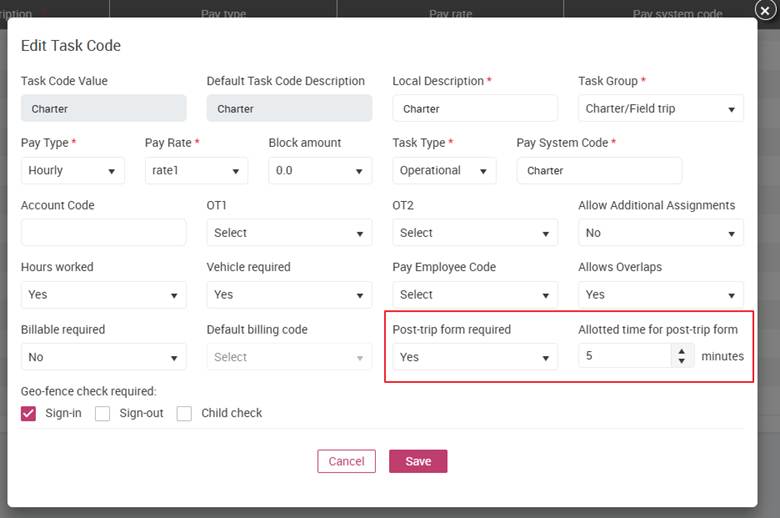
To enable the Post Trip form, the field trip Task Code must be updated accordingly:
- ‘Post-trip form required’ = Yes
When the setting is enabled, the Post Trip form will be shown to the employee after they clock out of any task with this task code.
- ‘Allotted time for post-trip form’ = number of minutes (e.g., 5)
This value indicates that 5 additional minutes will be added to the scheduled end time to allow the employee to complete the form.
After field trip/charter task codes are updated respectively, when an employee clocks out of a field trip with those task codes, they will immediately see the Post Trip form. This form allows them to record final trip details such as stop times and odometer readings. The goal is to ensure accurate documentation of the trip’s completion, while keeping the process simple and quick for drivers.
What employees see after clocking out of a field trip
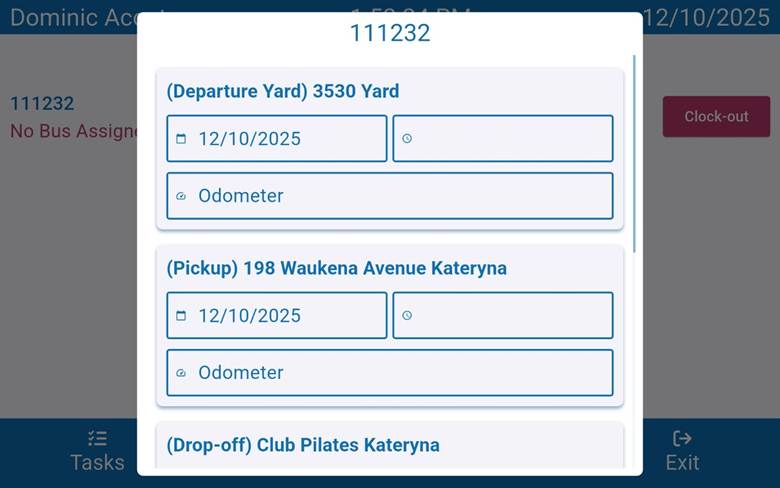
Once the Field Trip has ended and the employee clocks out, the system automatically displays the Post Trip form. The list of stops shown in this form is defined in busHive and may differ based on the trip configurations.
Completing the Post Trip Form
- Stop Time and Odometer Readings
For each stop listed, employees can enter
- Stop Time
- Odometer Reading
These fields help capture important metrics for reporting and compliance. However, none of these fields are mandatory – if the employee does not have accurate information, they may leave fields blank.
2. Additional Notes
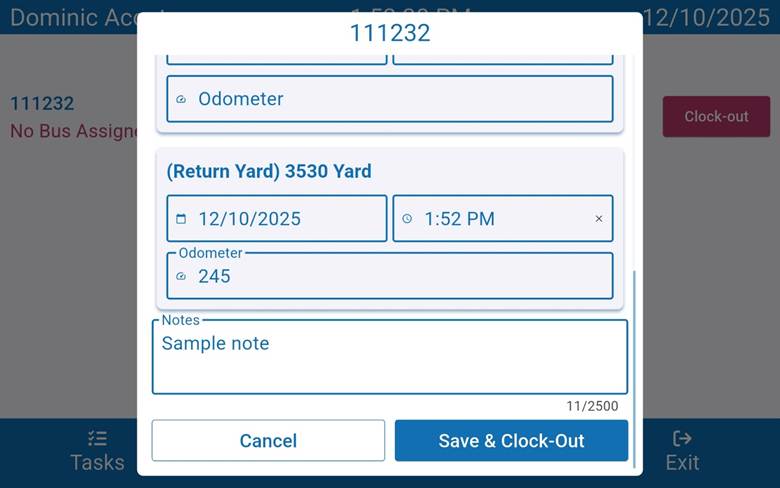
A Note field is available if the employee needs to provide any comments or clarifications about the trip. This could include issues encountered, corrections, or anything noteworthy about the stops.
3. Saving and Confirming Clock Out
Once all available information has been entered, the employee must:
- Click Save button.
- Confirm by selecting Yes to complete the clock-out process.
Important Reminder
After the Post Trip form is submitted and closed, employees cannot return to make edits. Any updates that may be needed afterward would require administrative assistance.
