Knowledge Article
Integrated Trip Workflow: busHive ↔ Bytecurve (B360)
Purpose: This guide outlines the integrated workflow between busHive and B360, from trip creation to payroll verification and completion sync.
Step 1: Create Trip in busHive
A user creates a trip in busHive using the standard trip setup process.
- Trips can be created in FTR or busHive
- Required details include client, contact, trip type, stops, and assigned division
Step 2: Change Trip Status to "Ordered" in busHive
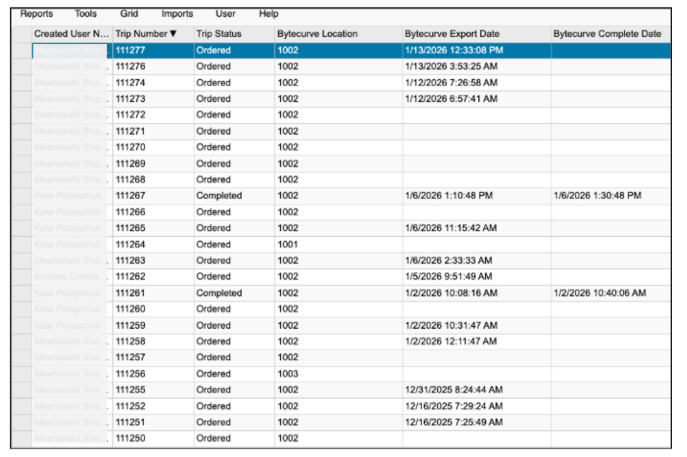
When the trip is changed to "Ordered" in busHive, it automatically triggers a push to Bytecurve360.
- No manual intervention required
- Entire trip is sent to B360
- Each Dispatch Vehicle (DV) becomes a Task in B360
- Each Dispatch Personnel (DP) becomes a Task Assignment in B360
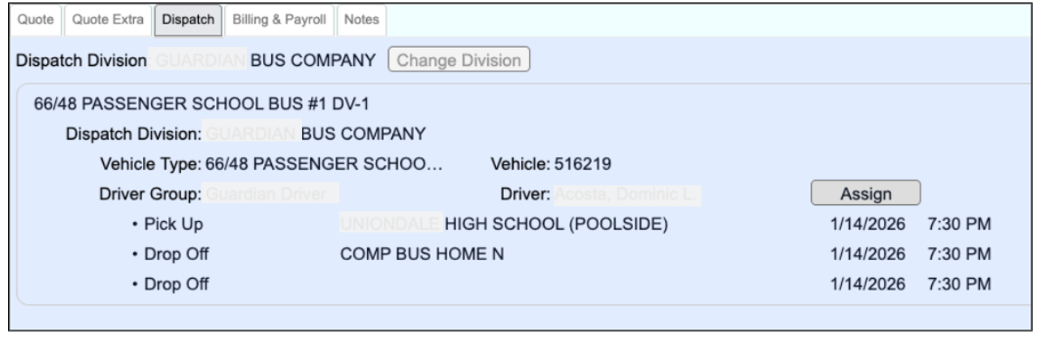
Step 3: Assign Vehicle and Personnel in Dispatch Tab (busHive)
Once the trip is ordered:
- Assign vehicles and personnel (drivers, monitors, etc.) in the Dispatch tab
- busHive will map personnel and vehicle info using cross-reference tables and push this data to B360
Step 4: Confirm Trip is Synced to Bytecurve
The trip should now appear in Bytecurve:
- Trips remain editable in busHive until N minutes (configurable) before the first Drivers start time
- After the N-minute threshold, the trip becomes "Dispatch Locked" in busHive and editable in B360 only
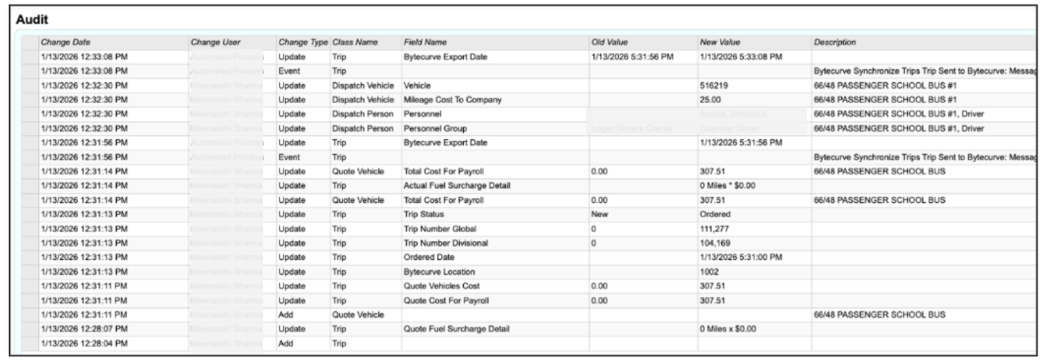
- Confirm trip has been synced with Bytecurve. View the audit log in busHive for confirmation.
Step 5: Complete the Task in Bytecurve (Driver Clocks In/Out)
Once the trip is live:
- Assigned employees (drivers/monitors) clock in and out in B360 using DriveOn or Timeclock apps
- Tasks cannot be modified after payroll verification
- Post-trip tasks (e.g., odometer entry, inspection notes) must be completed before payroll verification
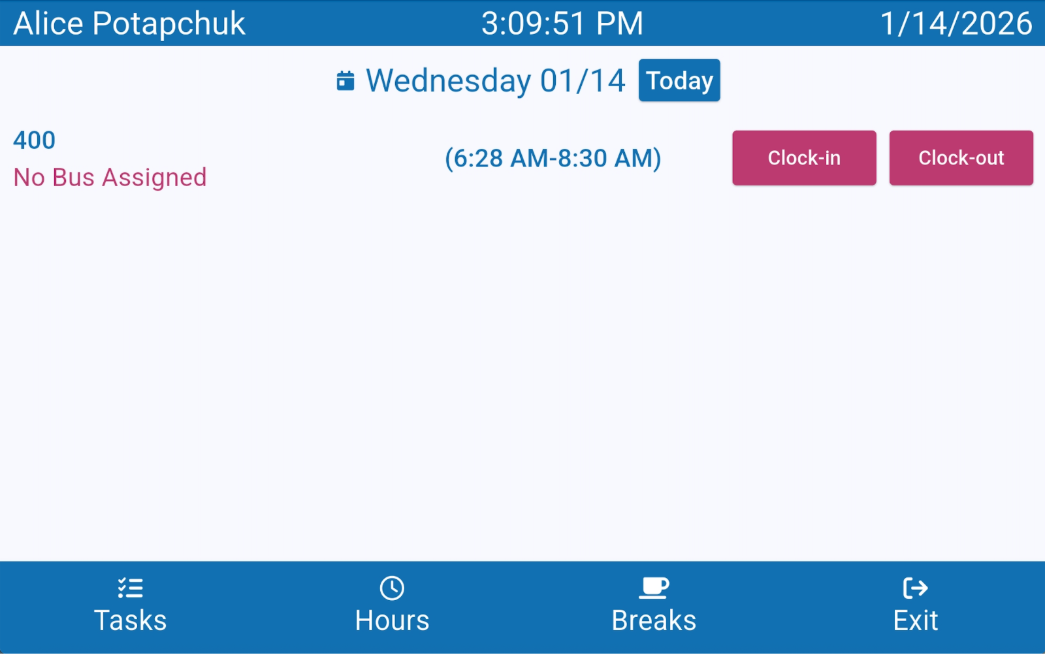
Dispatcher can also complete the tasks

Step 6: Payroll Verification
After all tasks are completed:
 The Payroll Admin in B360 verifies time records (start/end, paid time) for each task-assignment
Once all task-assignments are marked as “Verified”, the system sends the trip to busHive
- Bytecurve dispatcher or payroll individual processes payroll
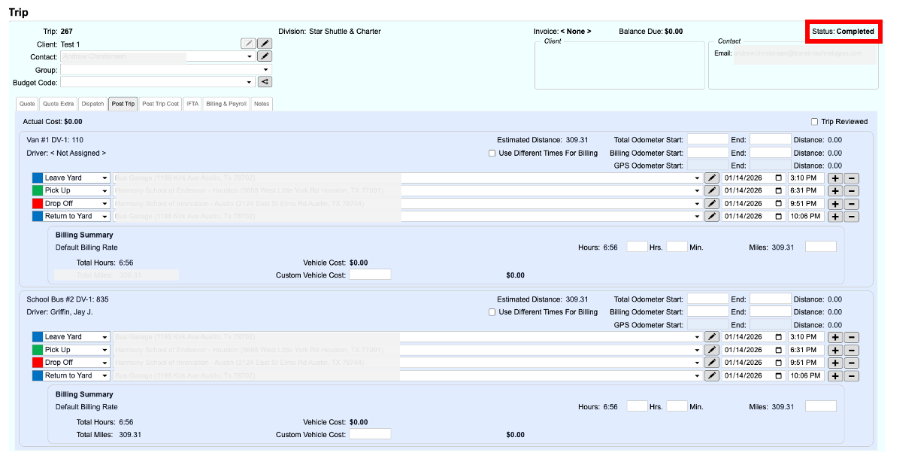
Step 7: Trip is now complete in busHive
After all tasks are completed:
- Status is Complete
- Post Trip tab is now added
- Trip is active in busHive and locked in Bytecurve